Free for Windows. Twitch login only.

Alerts, chat, chatbot, and stream tools. One app on your PC.

LuckyBot runs alert overlays, a full chat client, a native chatbot, subathons, polls, channel points, OBS control, and captions from a single window. No cloud account required, no Streamer.bot required, nothing to keep open in a browser tab.

Under 100 MB. Updates itself. Open source under the MIT license on GitHub.
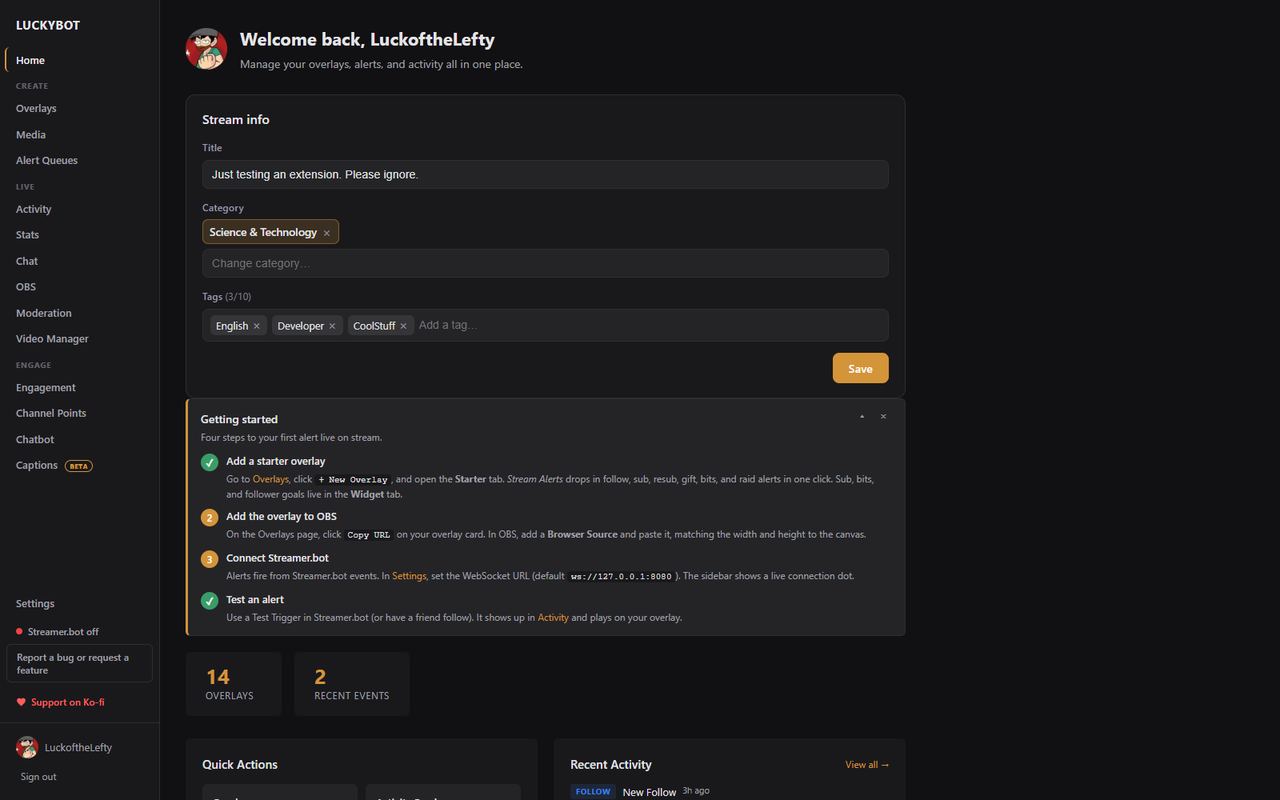
The LuckyBot home page with stream info, quick actions, and recent activity
1

Native Twitch, no middleman

Sign in once. Follows, subs, gift bombs, bits, raids, channel points, hype trains, polls, and predictions arrive straight from Twitch and fire your alerts in under a second.

2

Runs on your machine

A local server and an embedded database, with scheduled backups and a backup before every update. Your overlays keep working when the internet has a bad day.

3

Replaces four tools

Alert box, chat client, chatbot, and subathon timer in one window, sharing one set of events, one media library, and one set of stats.

Alert overlays

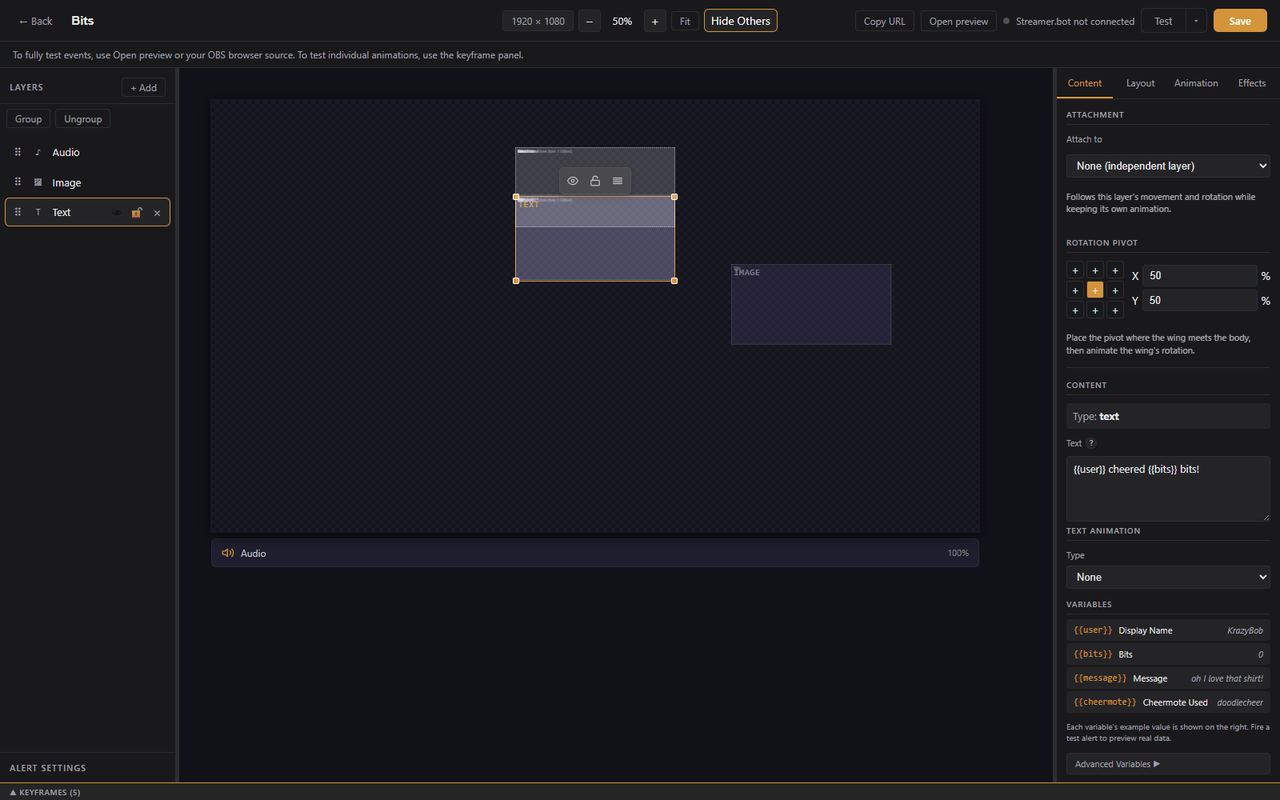
Build alerts by dragging, or by writing code.

A visual editor with layers, shapes, motion paths, and keyframe timelines. Variants for tier 3 subs or 100-viewer raids. Weighted chance, queues, chaining, and text-to-speech per alert.

  • Starter pack drops a full alert set in one click
  • Advanced overlays are a full HTML, CSS, and JavaScript sandbox with a live preview
  • Import your StreamElements overlays and AlertBox, media included
The visual alert editor
Reactive overlays

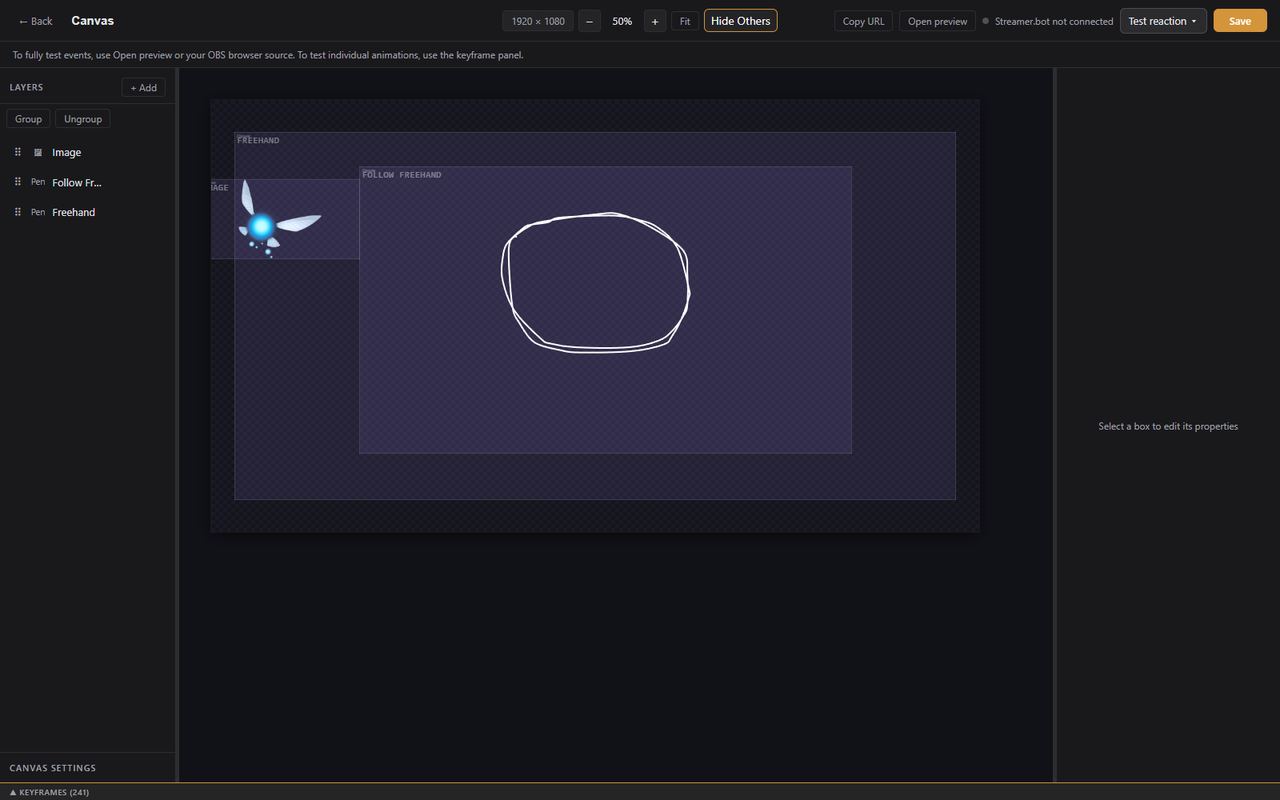
A character that reacts to your stream.

An idle animation loops, and every event gets its own keyframed reaction: a wave on a follow, a jump on a raid. Draw a path, attach a wing to a body, and let it fly.

The reactive overlay editor
Chat

A real chat client, with your mod tools built in.

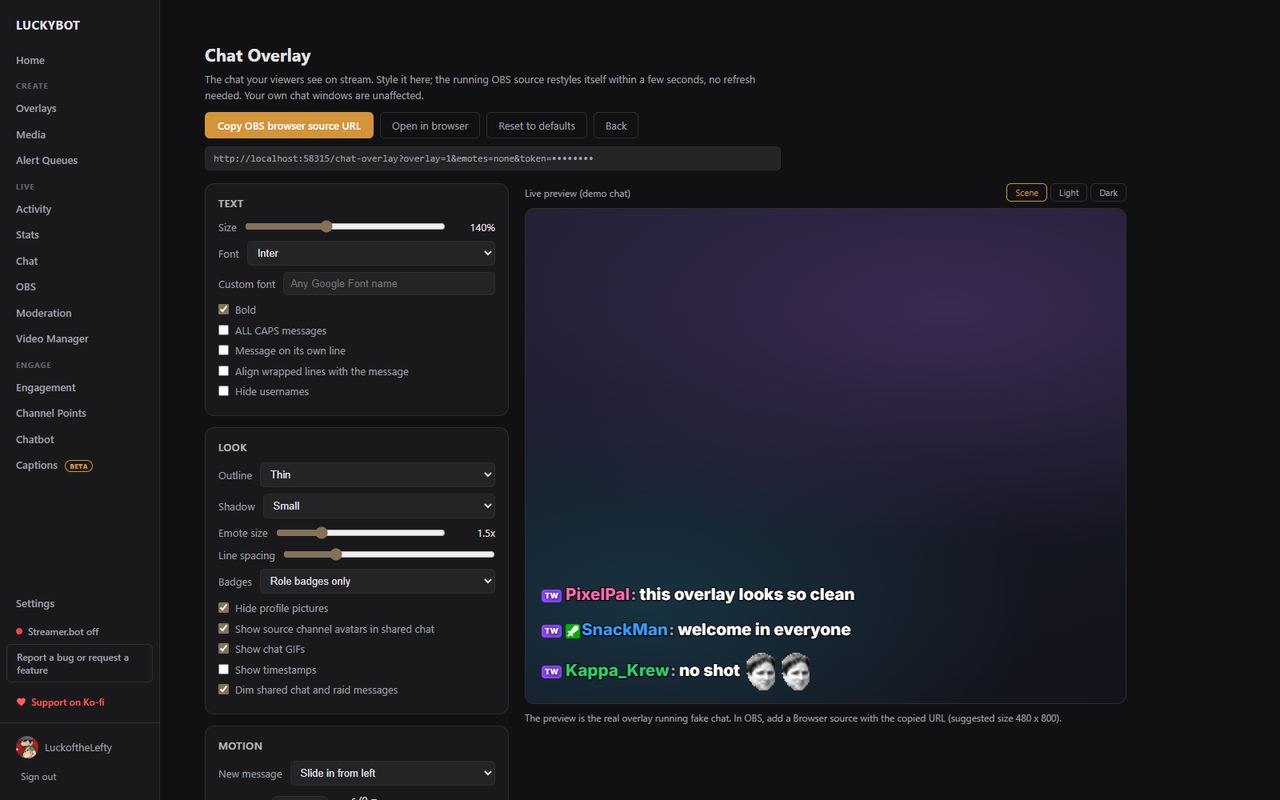
Badges, third-party emotes, replies, translation, first-time chatter highlights, and event cards. Moderate the channels you mod in tabs. Dock chat inside OBS, or put a styled chat overlay on stream that restyles live.

The chat overlay designer
Chatbot

Commands, timers, currency, games. Bring your old bot with you.

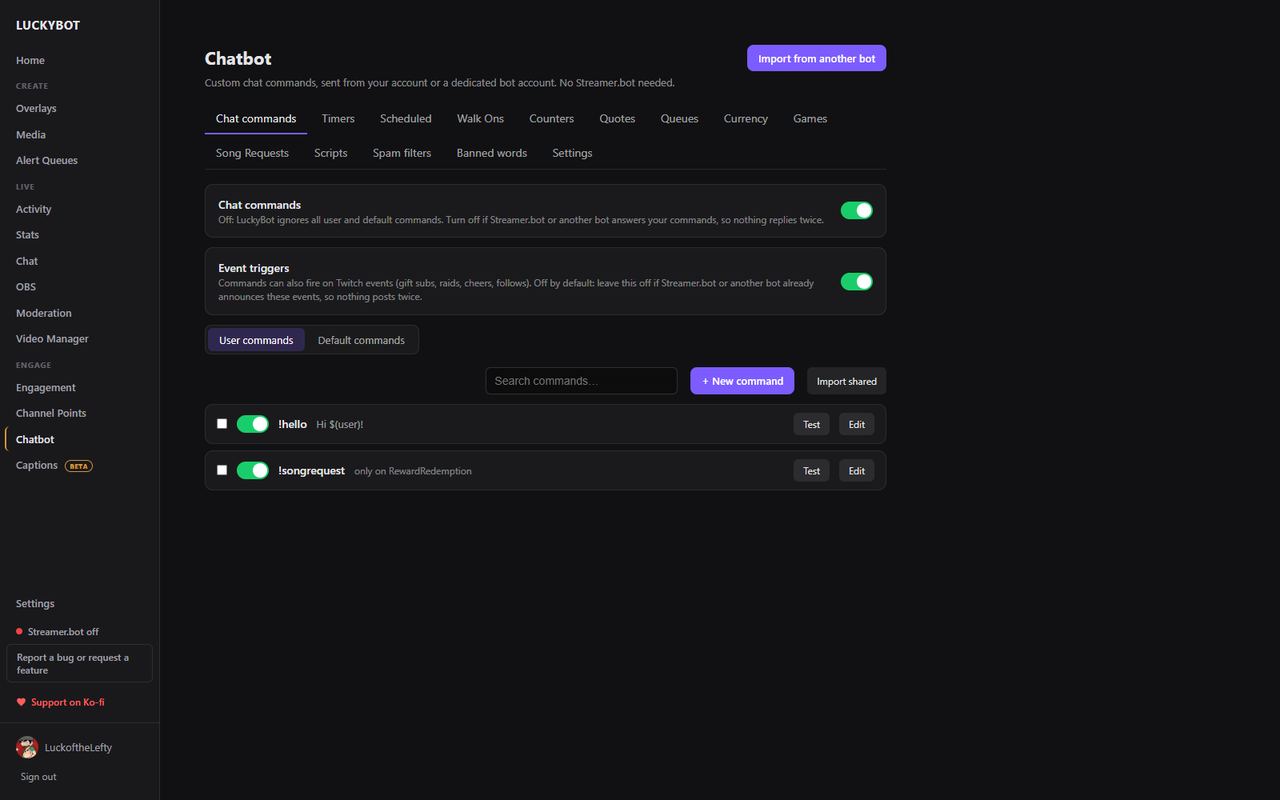
Over thirty action steps: conditions, fetches, OBS control, Spotify, Lumia lights, key presses, sound alerts. Watch time, a currency with a shop, casino games, and a builder for your own chat minigames.

  • Import commands, timers, quotes, and balances from Firebot, StreamElements, Nightbot, Streamlabs, and Mix It Up
  • Event triggers fire commands on subs, raids, cheers, and subathon grants
  • Runs from your account or a bot account, even with the window closed
The chatbot commands page
Subathons

A subathon timer that survives anything.

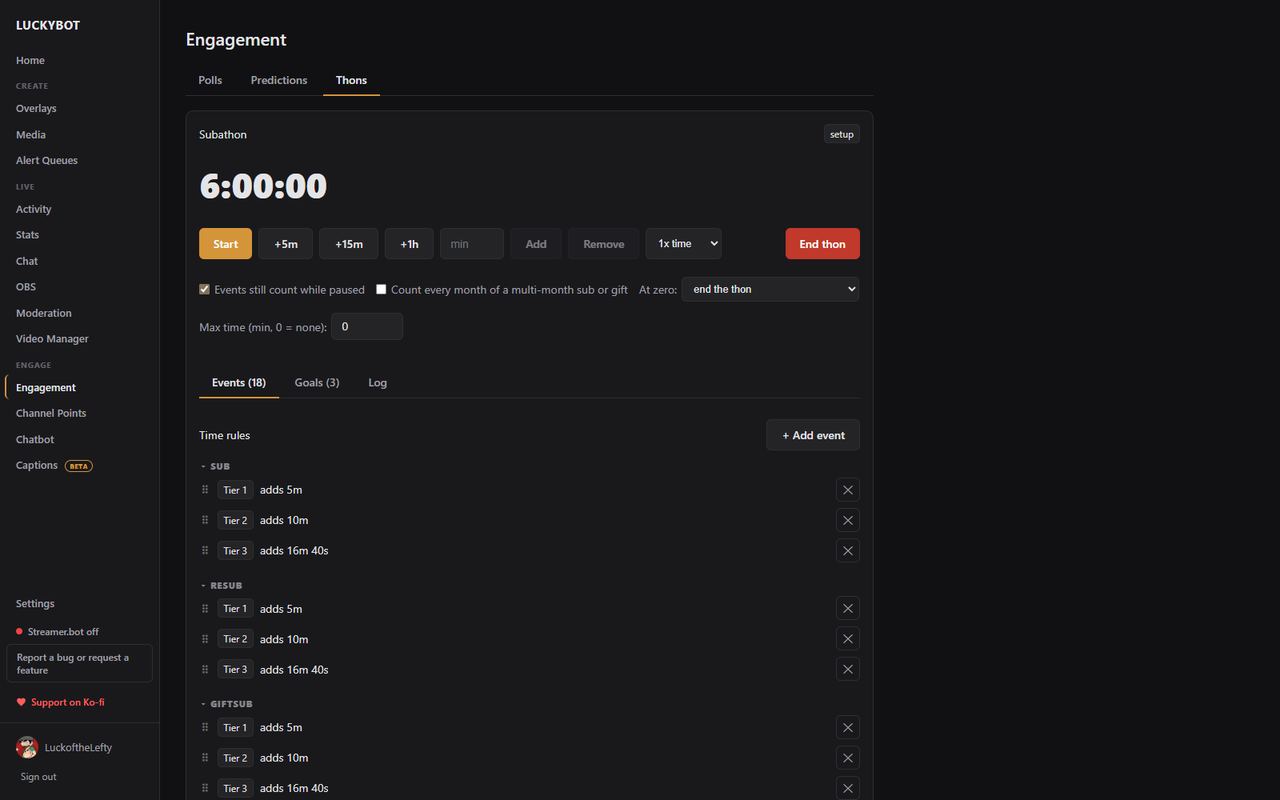
The clock runs on the server, so an OBS reload or crash never loses a second. Rules per event and tier, happy-hour multipliers, milestone goals, and an undo log for every grant. Timer and goals overlays included.

A running subathon in LuckyBot
Stream tools

Everything else you open a browser tab for.

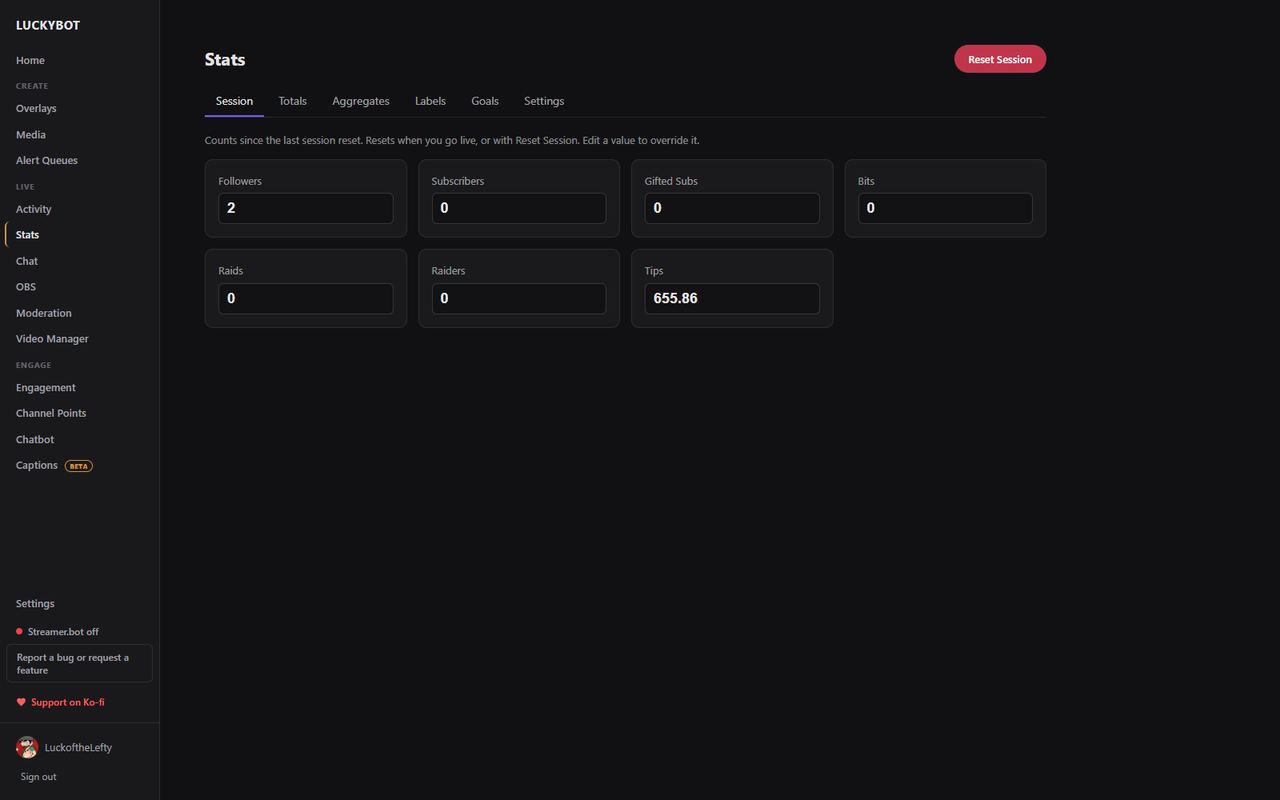
Live stats with editable counts and goals, polls and predictions, channel point rewards with a redemption queue, unban requests and blocked terms, a clip editor for your VODs, OBS scene and source control, and offline closed captions.

The Stats page

What it replaces

Keep whatever you love. LuckyBot fires each event exactly once even when Streamer.bot or a cloud relay delivers the same one.

Alert box services

Overlays live on your PC, not on a third-party page that can go down mid-stream.

Chat clients and cloud bots

One window for reading, sending, moderating, and the bot that answers.

Subathon timers and stats trackers

Server-run timer, goals, and every counter as a live overlay variable.

See it working

Two short clips recorded from the app: a walk around the pages, and the overlay editor building an alert.

No audio. The editor clip opens the Bits alert from the Stream Alerts starter, moves a layer, walks the property tabs, and fires Test.

LuckyBot Cloud

Optional. Adds what only the cloud can do.

  • Relays Ko-fi, Streamlabs, StreamElements, Fourthwall, and custom WebSocket feeds into your alerts, chatbot, and subathon
  • A mobile companion for watching chat and events from your phone
  • Everything on your PC keeps working without it
Open LuckyBot Cloud
Download
Free

Windows 10 or later, 64-bit. OBS Studio or anything with browser sources. A Twitch account.

Support development on Ko-fi.